Animating your dropdown menu

Published January 11th, 2010 under General

In our IE Hovers post we outlined how the Superfish jQuery plugin can be used to create a smooth flowing animated effect for your dropdown menu. However the Superfish script is reasonably large and many people don’t require the various options which are available with the Superfish plugin. So here is an explanation of a new way to create smooth animated dropdown menus with only a few lines of code (plus jQuery).

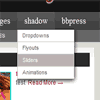
The following code will produce a clean smooth flowing animation effect just like you can see in the menu above for our own site.

function suckerfishmenu(){
	$('#suckerfishnav ul').css({display:'none'}); // Opera Fix
	$('#suckerfishnav li').hover(function(){
		$(this).find('ul:first').css({display:'none'}).slideDown(300);
	},function(){
		$(this).find('ul:first').css({display:'none'});
	});
}
 $(document).ready(function(){
	suckerfishmenu();
});

To make this work, you simply need to insert the above code after you load jQuery and between the <head> tags for your page and use a dropdown menu with an ID of #suckerfishnav. Make sure you reference the jQuery.js file correctly (available here). If you are using WordPress, then you will want to make sure you are loading jQuery via the enqueue method to avoid clashes with plugins which use jQuery and add var $ = jQuery; to ensure that jQuery works with the non-conflict mode of the version of jQuery version bundled with WordPress.

If all of that seems too complicated, don’t despair as the new version coming soon of our PixoPoint Menu plugin has this new animation method built in so that you won’t need to touch any code to get it working.

Free support for menus

Published December 30th, 2009 under Plugins

Since the inception of PixoPoint.com, we have been providing free support in our support forum for our menu plugins and CSS generator. Later, we began offering our Premium Support service, which gives much faster response times and we are happy to answer even very complex questions or even write extensive code to help out our Premium Support members.

However, in order to keep maintaining the service, we need those requesting free support to follow a few simple guidelines or we will need to move to a purely paid support system (which we would like to avoid). In the past we attempted to answer every question which was sent our direction, but as the number of support requests has grown, this has become virtually impossible to maintain due to the shear number of questions.

To help reduce our workload, it would be great if you could follow these guidelines before posting any free support questions in our forum (these do not apply to Premium Support members):

Things to let us know in your post

  • Are you using one of our WordPress plugins? If so, which one?
  • Where is your CSS? (don’t paste it, just post a link to it)
  • What modifications have you made to the CSS?
  • What browsers are you having problems with?
  • What is the URL for your site?

If you didn’t paste your CSS into a WordPress plugins’ settings page, then let us know which exact file it is in (searching through a dozen CSS files in your theme trying to find your menu code is very time consuming).

Things which prevent us from helping you

  • Not providing a link to the problem.
  • Only providing HTML and CSS code snippets (without a link).
  • Not telling us you modified part of your CSS, plugin or theme.

We can not answer vague questions about your menu or theme not working, we need to see the problem in action so please provide a link to it. Note: you don’t need to provide an example of your whole site just to demonstrate a problem. If you don’t want to leave your site in a broken state, then you can simply create a static HTML file of your problem and upload that instead. “Save as” in most browsers will do the job, or you can copy and paste the source code.

Email Support

We only offer email support to our Premium Support members. By keeping all free support questions open to the public, we hope that others will be able to learn form the answers.

Blog Post Support

We do not provide support in our blog posts. All free support questions must be posted in our support forum.

Bart Simpson uses the PixoPoint menu plugin

Published November 24th, 2009 under Plugins

Nancy Cartwright and her alter-ego Bart Simpson

Marty Kassowitz of Interest Factory contacted us requesting assistance in creating a new menu for the official website of Emmy Award-winner Nancy Cartwright. Nancy is best known as the voice of yellow coloured spikey haired underachiever Bart Simpson, but also gives voice to Nelson Muntz, Ralph Wiggum and Todd Flanders on the Simpsons TV show as well as Chuckie from Rugrats and many other familiar animated TV characters.

Marty signed up for our Premium Support deal, sent us the exact specifications, including an image of what was intended as the final design of the menu. We created a mockup of the design and once approved by Marty, we assisted with the integration of the menu into Nancy’s new WordPress powered site. You can see the final result below.

Nancy Cartwright

Nancy Cartwright's website demonstrating the custom-coded dropdown menu created by PixoPoint.

Removing page URLs in PixoPoint Menu plugin for WordPress

Published July 26th, 2009 under Plugins

PixoPoint Menu pages widget

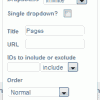
We have been asked many times before to provide a way to remove the links of parent pages in our menu plugins. Today one of our Premium Support members requested this feature, so we added support for it into our latest release for them. Simply add a comma separated list of the page IDs you want the URLs removed for into the pulldown for the ‘Pages’ widget in the plugins admin page and they will be removed from your menu.

Visit the download page on WordPress.org to get hold of the latest copy or use the automatic upgrade feature in your WordPress admin panel. If you find any bugs, please report them in our Menu Support forum.

Multi-level Navigation Plugin for WordPress

Published June 1st, 2008 under Plugins

This plugin is a replacement for the now defunct Suckerfish dropdown menu plugin for WordPress.

The plugin generates the code necessary to create a Son of Suckerfish horizontal dropdown, vertical flyout or horizontal slider menu. The plugin produces W3C valid HTML and CSS and only requires Javascript to function for very old browsers such as IE 6. The Javascript is held in an external file which is linked via IE conditional comments, so only the browsers which require it will download the file. You have control over what items (pages, categories, archives, blogroll etc.) appear in your dropdown via the plugins options page.

To style your menu, head over to the Multi-level Menu CSS Generator page. Simply copy and paste the CSS from the generator to the plugins options page.

Demo

Demo is available here … Multi-level Navigation Plugin demo

Download

The plugin is available for download here … Multi-level Navigation Plugin

Installation

Add the following code wherever you want the dropdown to appear in your theme (usually header.php) and activate the plugin in your admin panel.

This code adds a button for your home page and dropdowns for your Pages, Archives, Categories and Blogroll.
<?php if (function_exists('pixopoint_menu')) {pixopoint_menu();} ?>

Customisation

You can modify the look of your dropdown by using our new Multi-level Menu CSS Generator page. The generator has been designed with this plugin in mind, so just copy and paste the CSS code from the generator to the plugins options page.

If anyone out there would like a custom designed dropdown, then please get in touch with us via our contact page for pricing information.

Compatibility

The menus (CSS sourced from generator page) have been tested (and work correctly) in the following browsers:

Mozilla Firefox Version 3.0
Mozilla Firefox Version 2.0
Mozilla Firefox Version 1.5
Opera Version 9
Safari Version 3.0
Google Chrome
Internet Explorer Version 8 RC2
Internet Explorer Version 7.0
Internet Explorer Version 6.0 (with Javascript on)
Internet Explorer Version 5.5 (with Javascript on)
Internet Explorer Version 5.0 (with Javascript on)

Live Examples

There is a list of live examples in our forum … live examples

Credits

Thanks to Patrick Griffiths and Dan Webb for their article which we used as a model for the CSS used in this plugin. And thanks to Miriam Schwab for writing the blog post which motivated us to create it.

Support

For support, please visit the dropdown menus board in our support forum.